
Nano Banana로 무엇을 할 수 있을까? 놀라운 아이디어 10+가지
Nano Banana 모델은 사진 편집 방식을 크게 바꾸고 있습니다. 가볍게 사진을 꾸미는 사람부터 창의적인 프로젝트를 만드는 사람까지, 복잡한 편집을 훨씬 쉽게 처리할 수 있게 해 줍니다. 전문가가 아니어도 괜찮습니다. 아래 예시를 통해 Nano Banana가 다양한 상황에서 어떤 일을 할 수 있는지 살펴보세요.
아래 프롬프트를 복사하고 이미지를 업로드하면 이미지 투 이미지 AI 생성기 에서 나만의 이미지를 생성할 수 있습니다.
1. 소중한 사진을 미니어처 피규어로 바꾸기
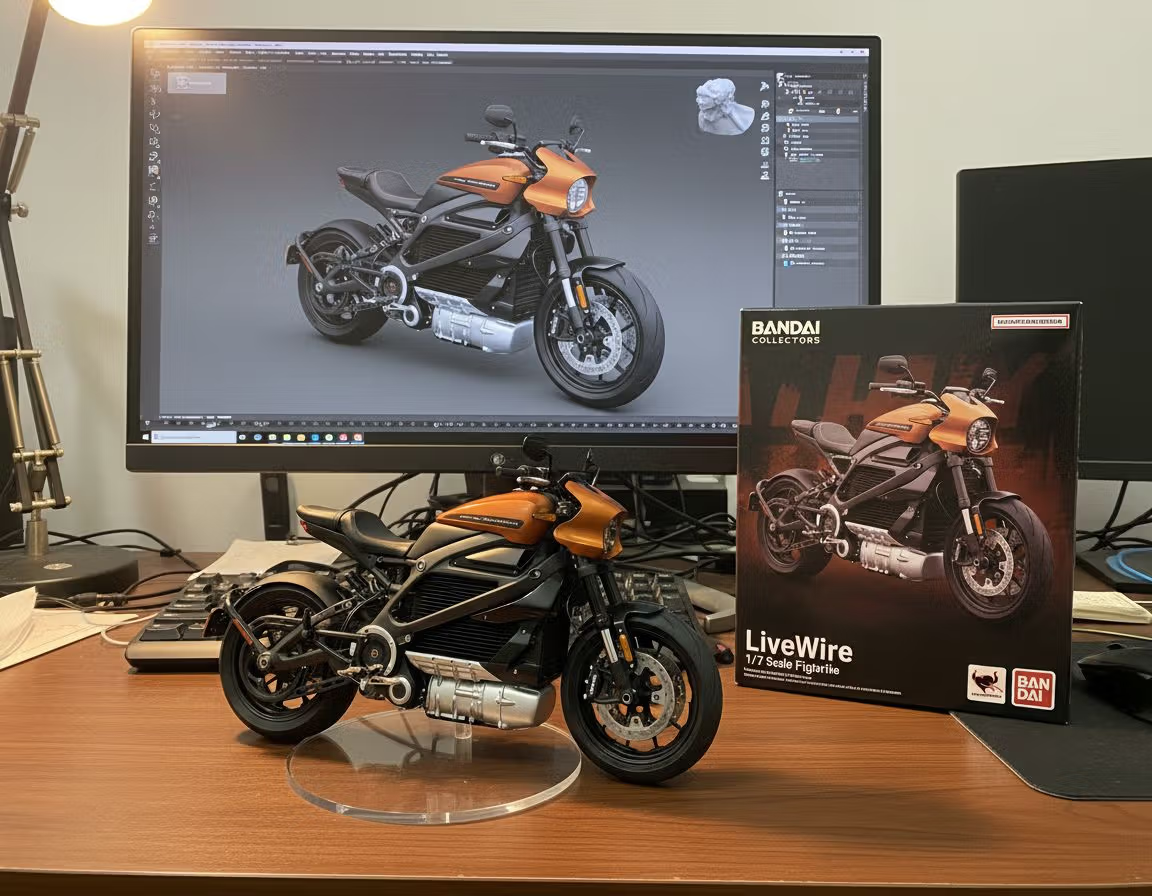
어떤 사진이든 현실에서 막 튀어나온 듯한 생생한 피규어 사진으로 바꿀 수 있습니다. 반려동물의 가장 귀여운 포즈, 코스프레 의상, 결혼식 날의 모습까지 수집용 피규어 스타일 이미지로 재해석할 수 있죠. 특별한 SNS 게시물, 친구를 위한 창의적인 선물, 셀피를 새롭게 표현하는 방법으로 활용하기 좋습니다.
Prompt:
create a 1/7 scale commercialized figurine of the characters in the picture; the overall style is realistic, placed in a real environment, and the specific scene is placing the figurine on a computer desk. The figurine must be equipped with a round transparent acrylic base with no text on the base; the computer screen must display the ZBrush modeling process of this figurine; next to the computer screen, there must be 1 BANDAI-style toy packaging box printed with the original artwork of the character, and the packaging must feature 2D flat illustrations.
2. 영화 같은 패션 인물 사진
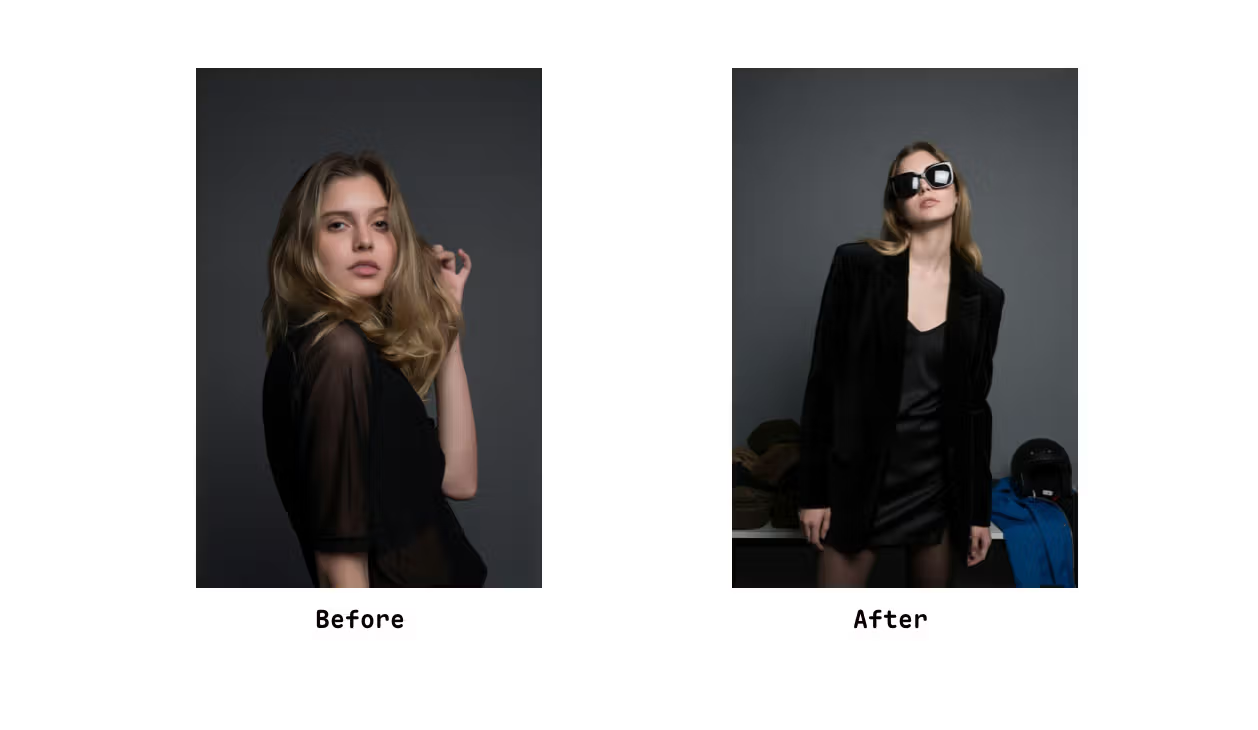
극적인 조명, 과감한 구도, 은은한 레트로 감성을 결합한 전문 인물 사진 스타일입니다. 패션 화보, 잡지 표지, 예술적인 스토리텔링에 어울리는 강렬한 에디토리얼 품질의 캐릭터 이미지를 만들 수 있습니다.
Prompt:
The shot uses a medium-framing, almost half-body composition with strong perspective. The camera is nearly eye-level, but because the subject leans slightly forward, it creates a compressed, intimate feel. The model tilts her head up toward the lens with a confident, almost defiant vibe. A front-left flash casts harsh highlights and deep shadows—bright reflections appear on her sunglasses, a faint shadow falls on the wall, and the overall look has a raw “direct flash” texture with subtle grain and slight overexposure on the face.
The color palette is low-saturation and neutral: a black wide-shouldered velvet blazer dominates the frame, layered over a black silk camisole. She wears a black mini skirt with sheer tights. In the background, muted props—a pile of dark green and brown caps on the left, a bright blue jacket and black helmet on the right—add accent colors and reinforce a backstage or dressing-room vibe.
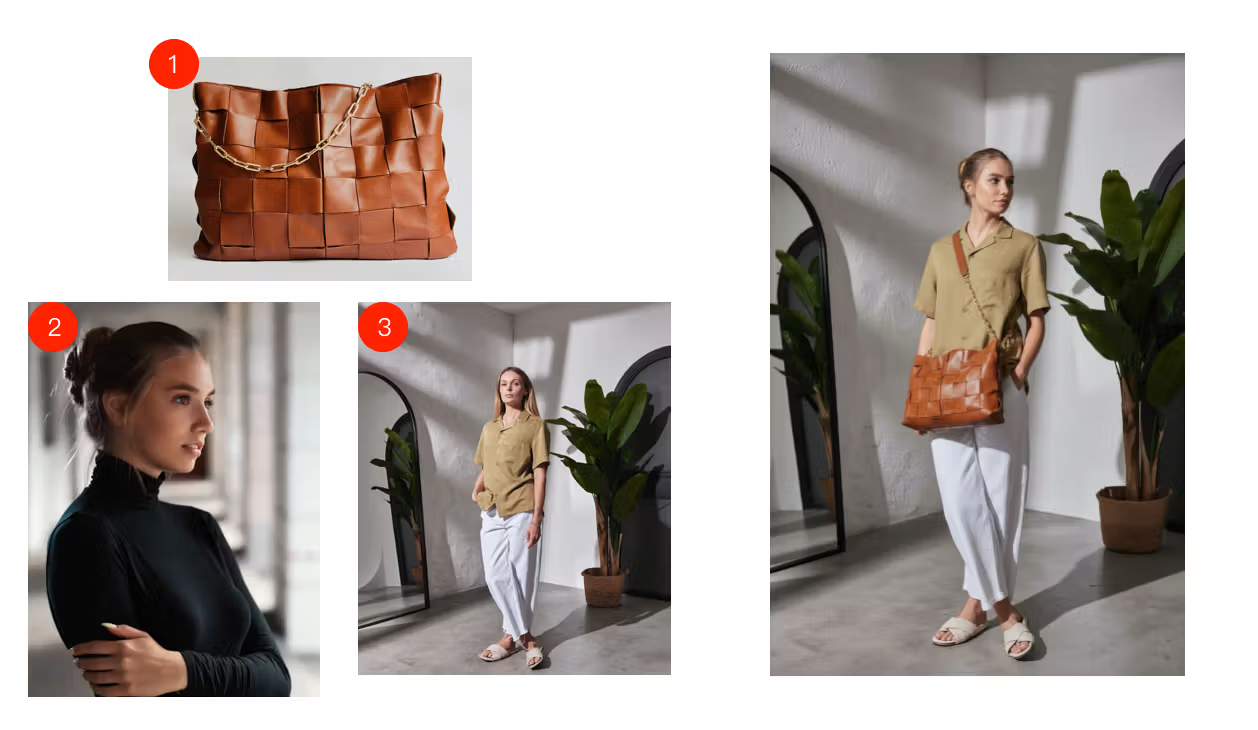
3. 연속 편집: 오브젝트 합성과 이미지 배경 교체
Prompt:
The character in p2 is wearing the messenger bag in p1, and the character is using the posture in p3.4. 오래된 사진 복원과 사진 향상
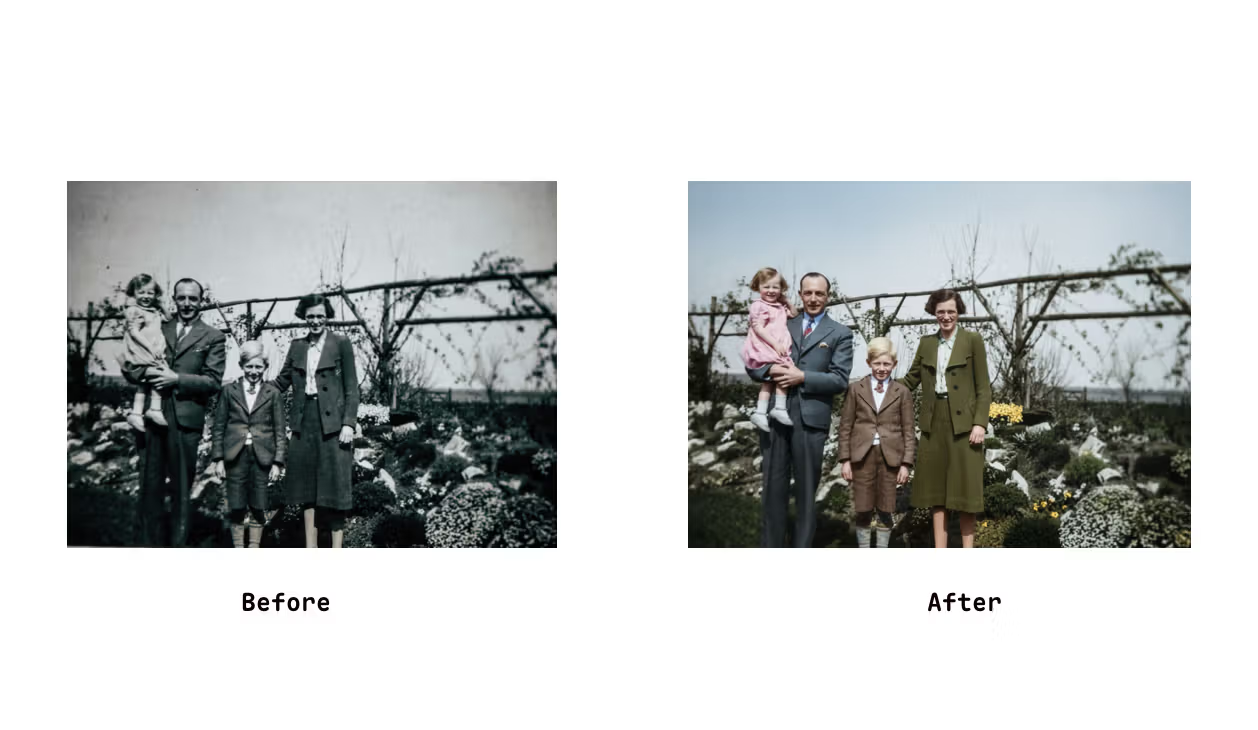
손상되고 오래된 느낌의 사진을 마치 어제 찍은 것 같은 현대적인 컬러 사진으로 복원할 수 있습니다.
Prompt:
Restore this old photo, change to colorful5. 사진 촬영 각도 바꾸기
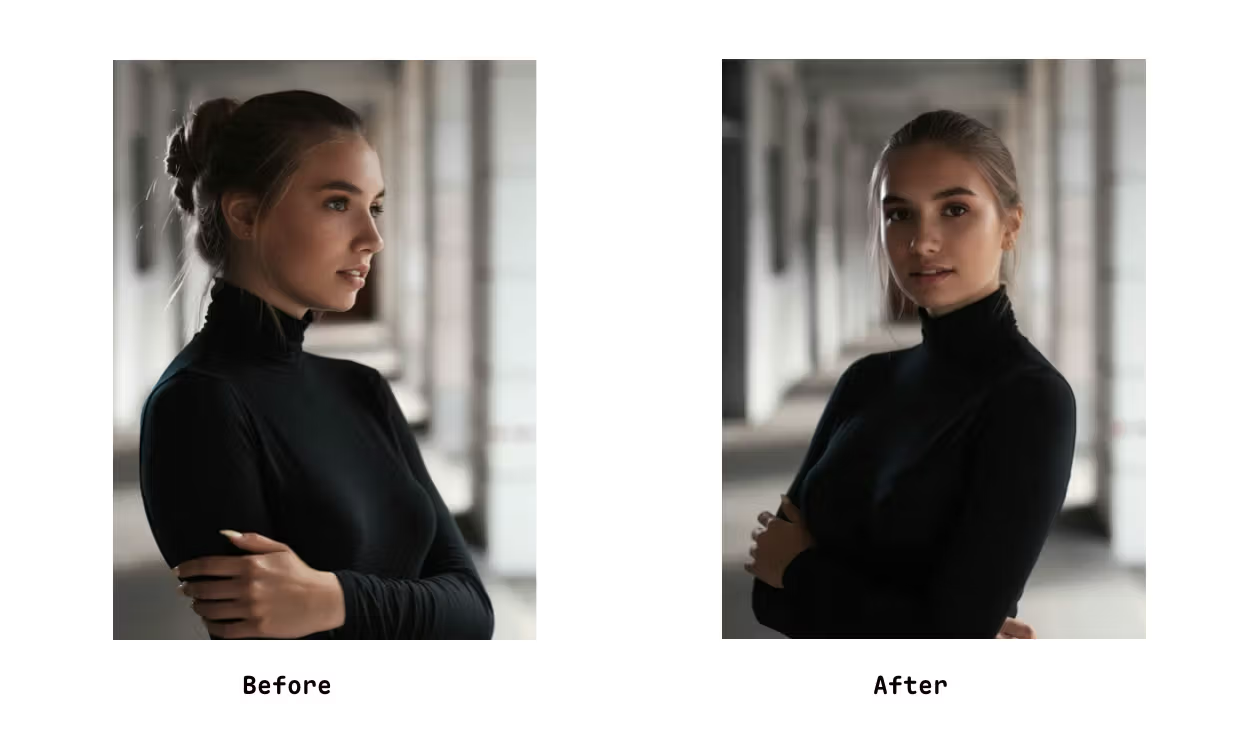
사진의 촬영 각도가 마음에 들지 않는다고 꼭 다시 찍을 필요는 없습니다. Nano Banana로 시점을 바꾸고 모델이 보는 방향을 자연스럽게 조정해 보세요.
Prompt:
Change the picture shooting angle,model face to viewer.6. IP 캐릭터 소개 이미지 생성
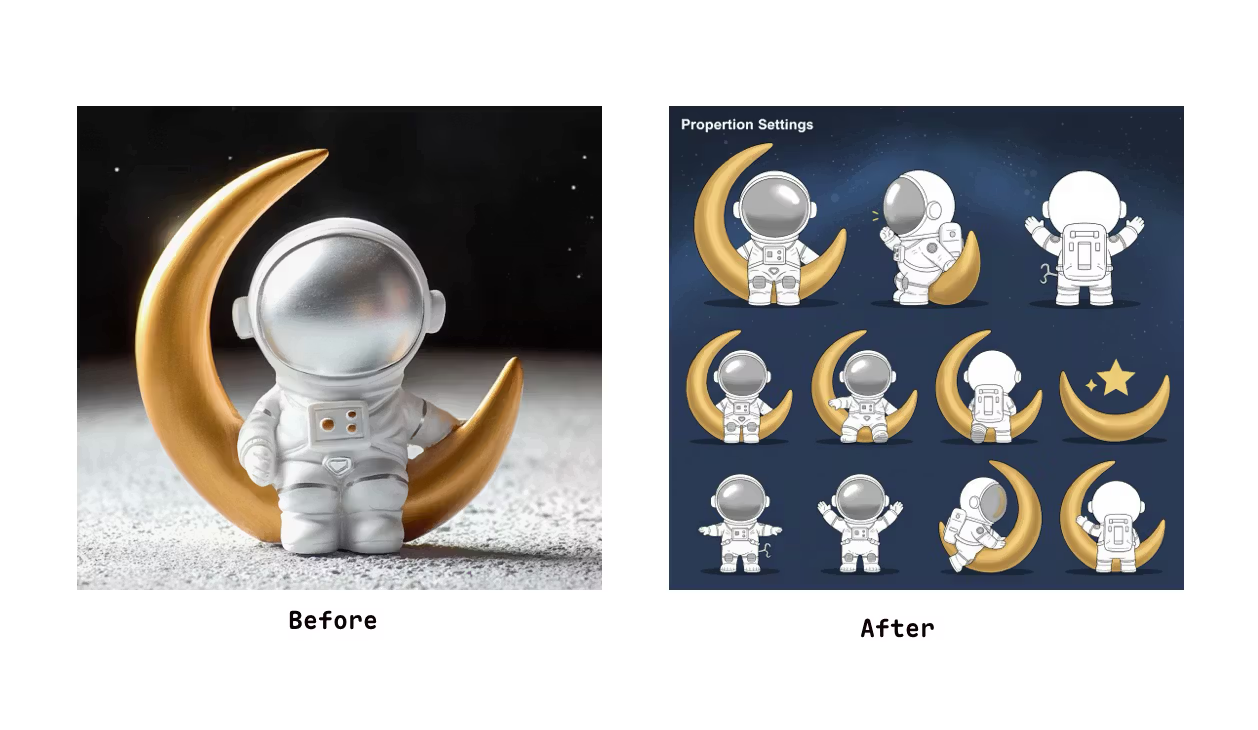
Prompt:
Generate character design for me
Proportion settings (height comparison, head-to-body ratio, etc.)
Three-view drawing (front, side, back)
Expression sheet
Pose sheet → various common poses
Costume design
7. 애니메이션 일러스트를 실사 코스어 이미지로 만들기
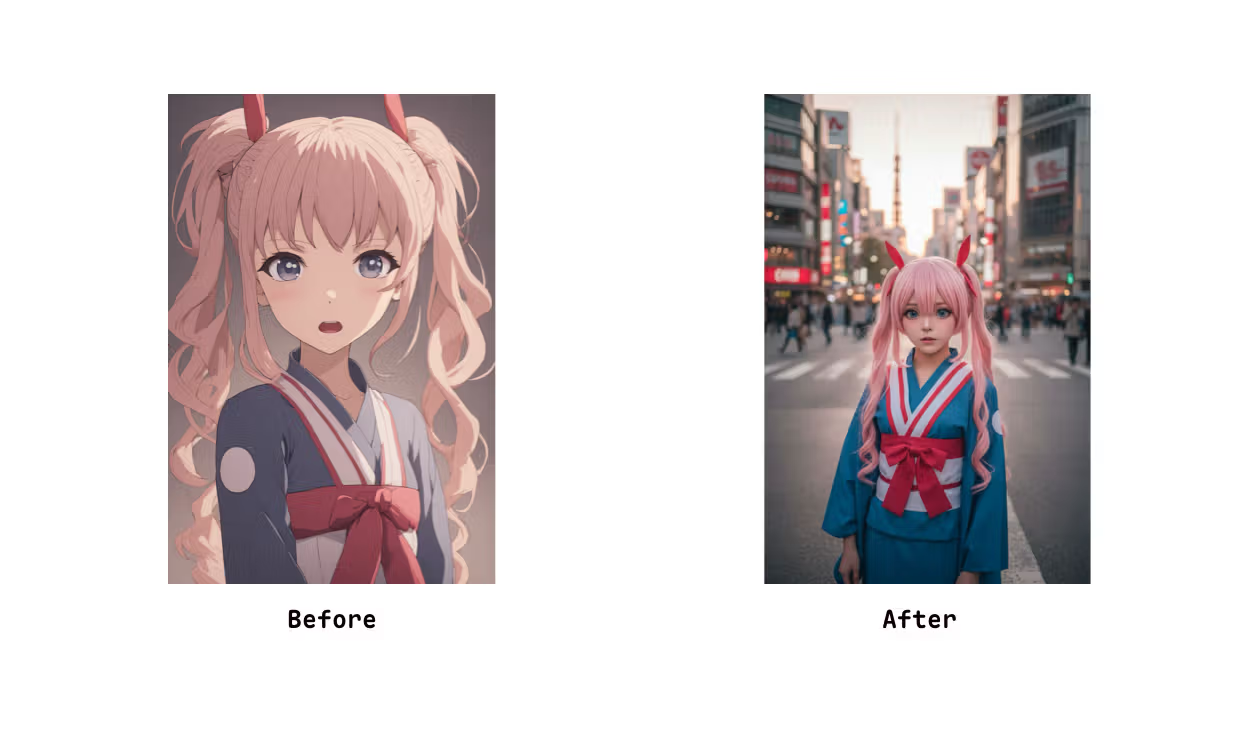
Prompt:
Generate a photo of a girl cosplaying this illustration, with Tokyo as the background8. 모델 의상 바꾸기
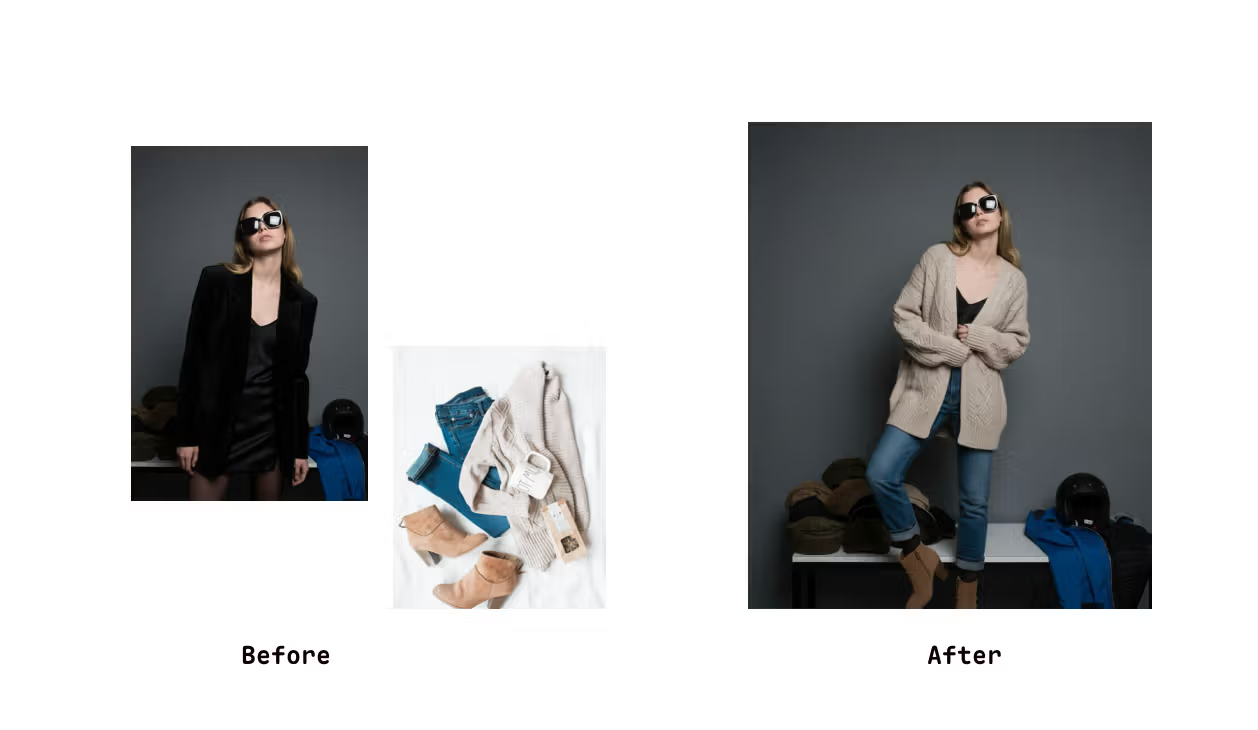
Prompt:
Make model try on those Clothes9. Nano Banana로 16-bit 스타일 아트 만들기
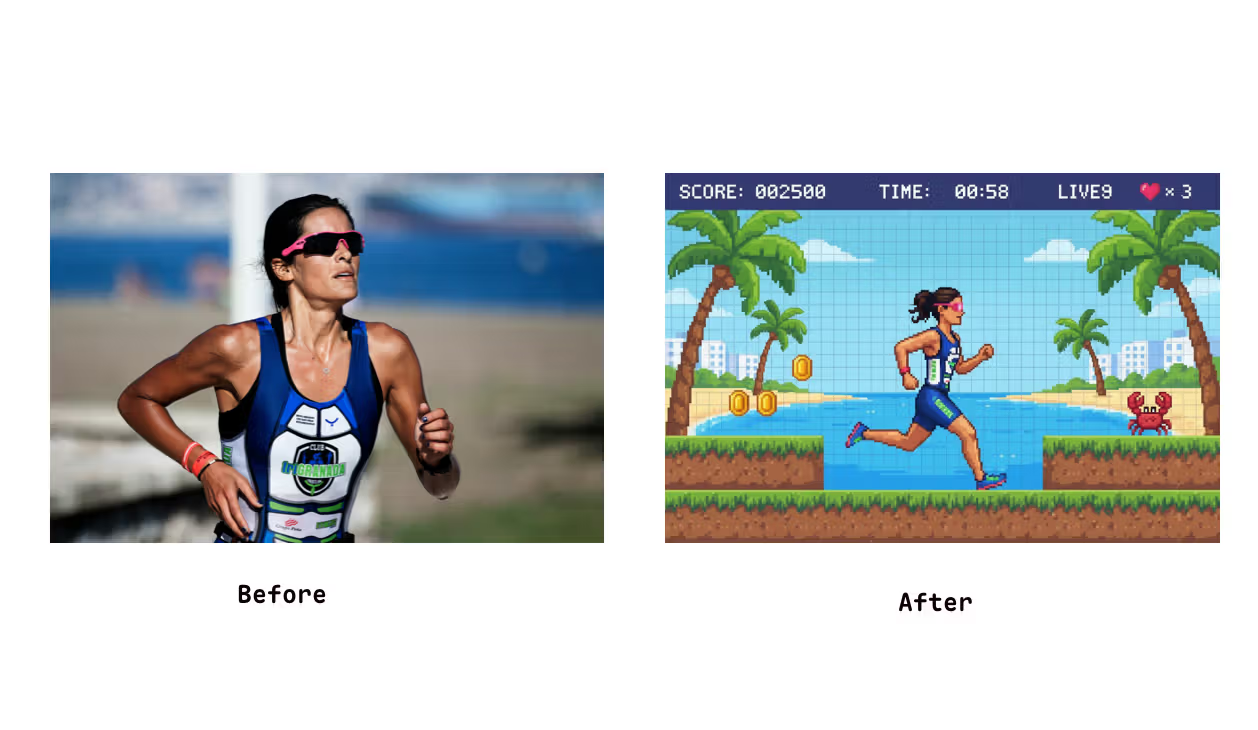
Prompt:
Turn this photo into a pencil drawing for my 3 years old son,simple line art10. 조명 레퍼런스 적용
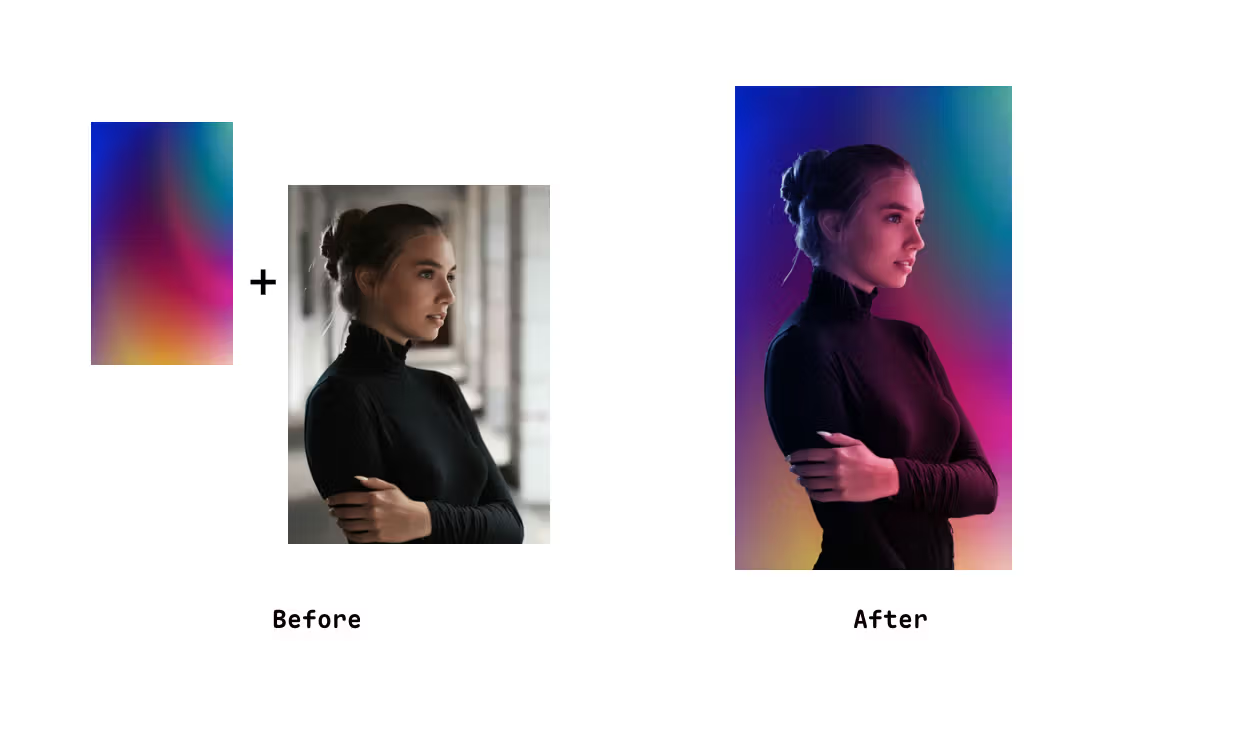
Picture 1 is refrence to picture 2 lighting , professional photography11. Mockup 생성
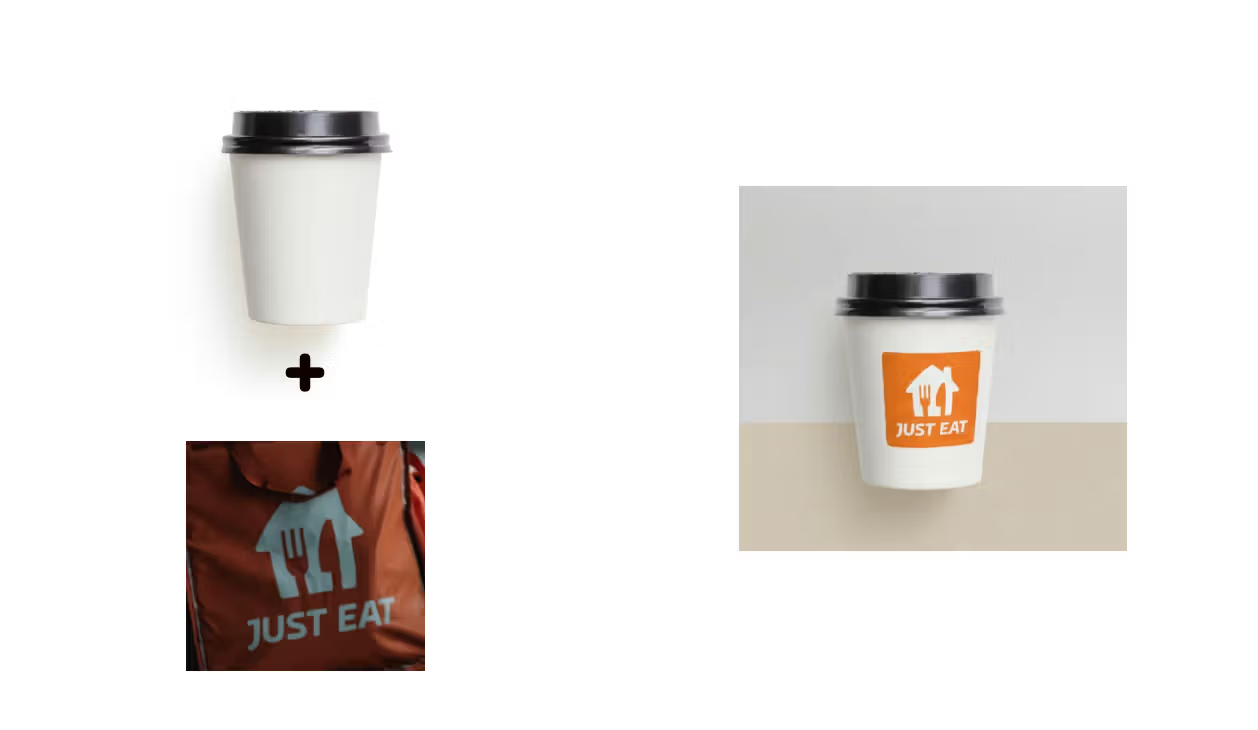
Prompt:
Paste the second picture on the coffee cup in the first picture and place it in a minimalist design background.12. 동물 표정 바꾸기
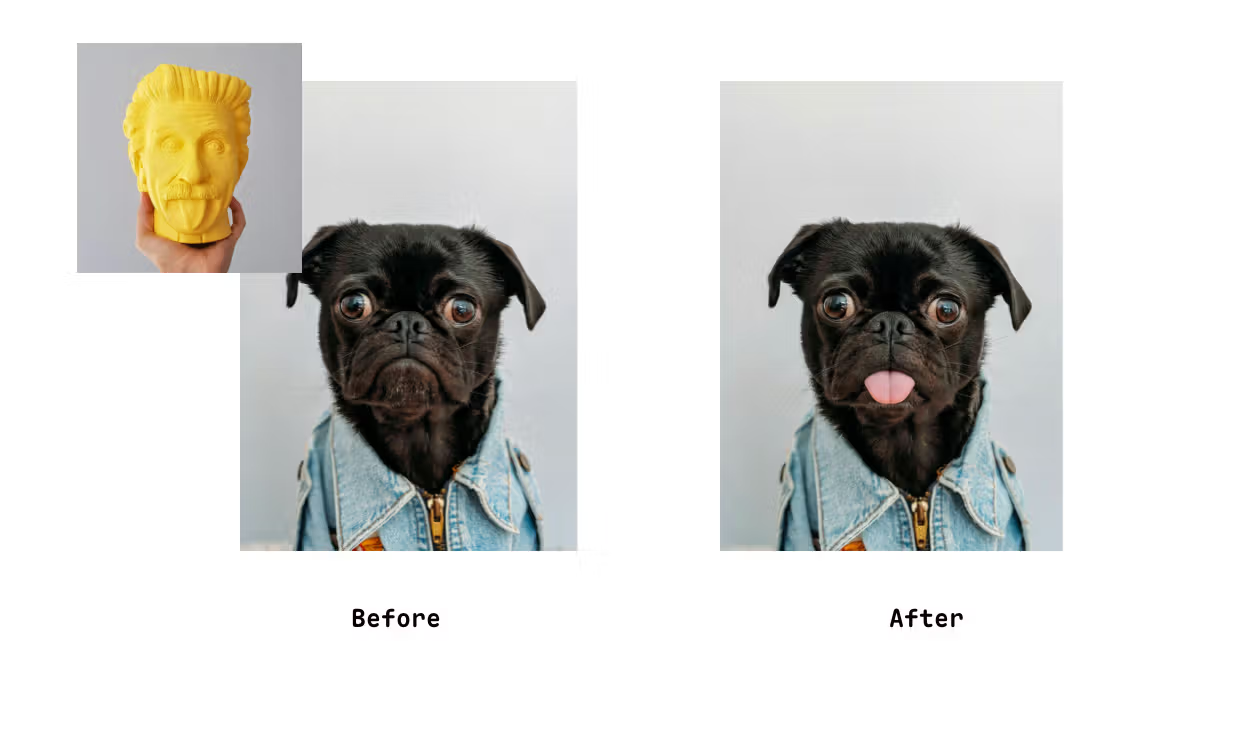
Prompt:
Change the dog in Figure 1 to the expression of the Figure 2Google의 Nano Banana 모델은 현재 매우 뛰어난 성능을 보여 주고 있으며, 아직 탐색되지 않은 활용법도 많습니다. 지금만 해도 이미지 처리의 진입 장벽을 크게 낮추어, Photoshop 같은 복잡한 도구를 익히지 않아도 원하는 사진 효과를 손쉽게 만들 수 있게 해 줍니다.