Image to Image
  • Image to Image
  • Image to Video
  • AI Tools
    AI Tools

    AI Image Tools

    • AI Image Generator
    • AI Image Editor
    • AI Image Upscaler

    AI Video Tools

    • Text to Video
  • Models
    Video Generation Models
    • Seedance 2.0
  • My Creations
  • Pricing
  • Blog
  • Sign in
    Create images and videos from one image

    Upload a reference image and use AI to generate new images, dynamic videos, style variations, scene extensions, and creative assets.

    Create

    • AI Image Generator
    • AI Image Editor
    • AI Image Upscaler
    • Image to Video Generator
    • Image to Image Generator

    Explore

    • Pricing and Credits
    • My Creations
    • Blog and Guides

    Account

    • Sign in
    • Create account
    • Profile
    EnglishEspañolDeutsch한국어简体中文繁體中文日本語

    © 2026 Image to Image. All rights reserved.

    Privacy PolicyTerms of Service
    Drag & Drop, Paste, or Click to UploadPNG, JPG, JPEG, WEBP, Max 10 MB
    No image? Try Text to Image →
    0 / 2500

    Aspect Ratio

    Resolution

    5 Credits

    Image Preview

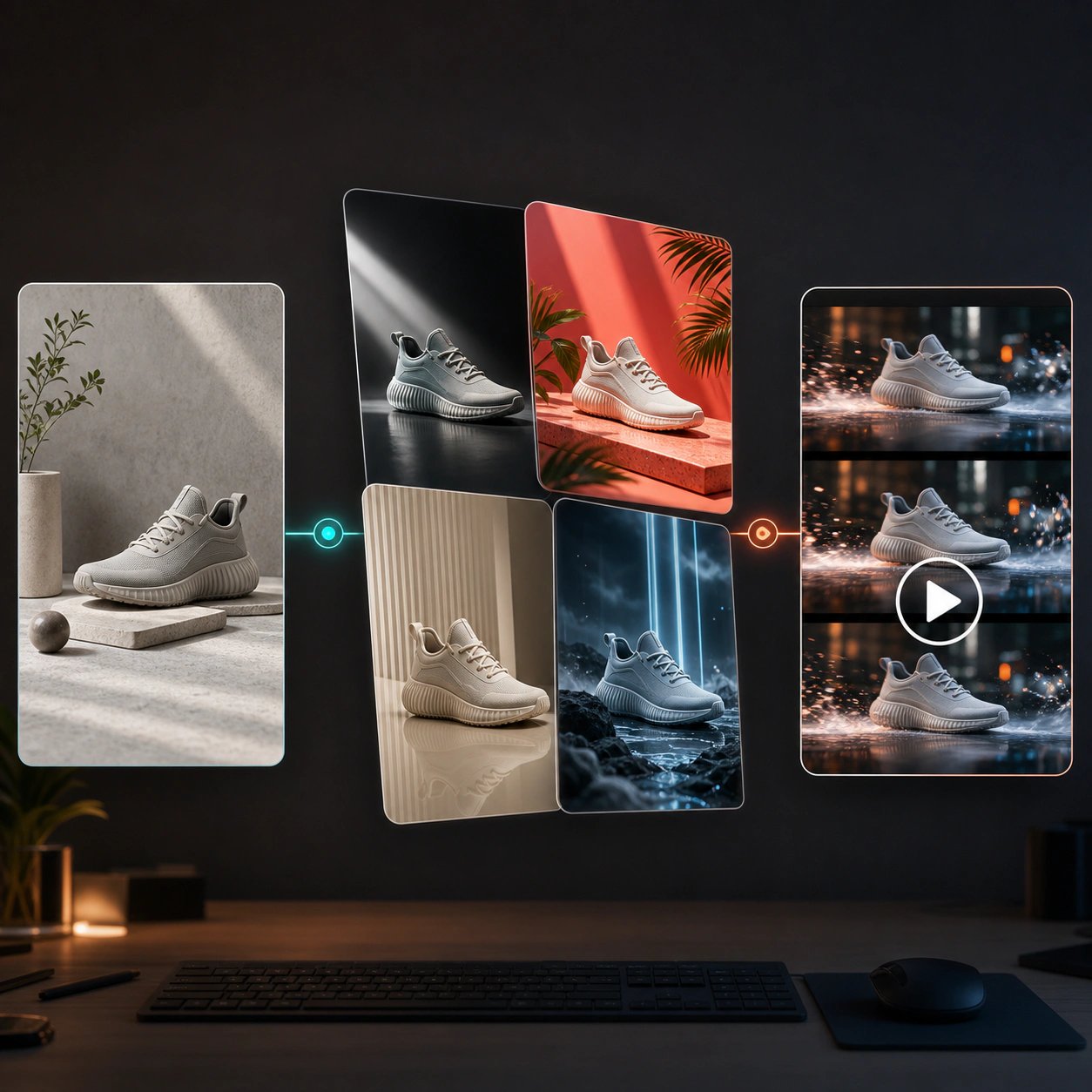
    AI image to image and image to video preview showcase

    Image to Image AI: Create Jaw-Dropping Images in Seconds

    Ignite Your Creative Genius! With AI-powered magic, instantly transform, restyle, or reinvent any photo. Go from ordinary to extraordinary visuals in a snap and let your imagination soar!

    Use Cases

    Unlock the Endless Possibilities of Image to Image AI

    Every photo you take holds a story waiting to shine. With our advanced image to image AI as your creative companion, a single click transforms everyday moments into heartfelt works of art. Turn a casual selfie into a vintage painting, give your travel snaps a sci-fi glow, or craft show-stopping visuals for your brand. Our AI image generator technology gets you—it swaps styles, shifts backgrounds, and reimagines scenes in seconds, setting your creativity free. Join the visual revolution and let AI spark your inspiration to create moments that dazzle!

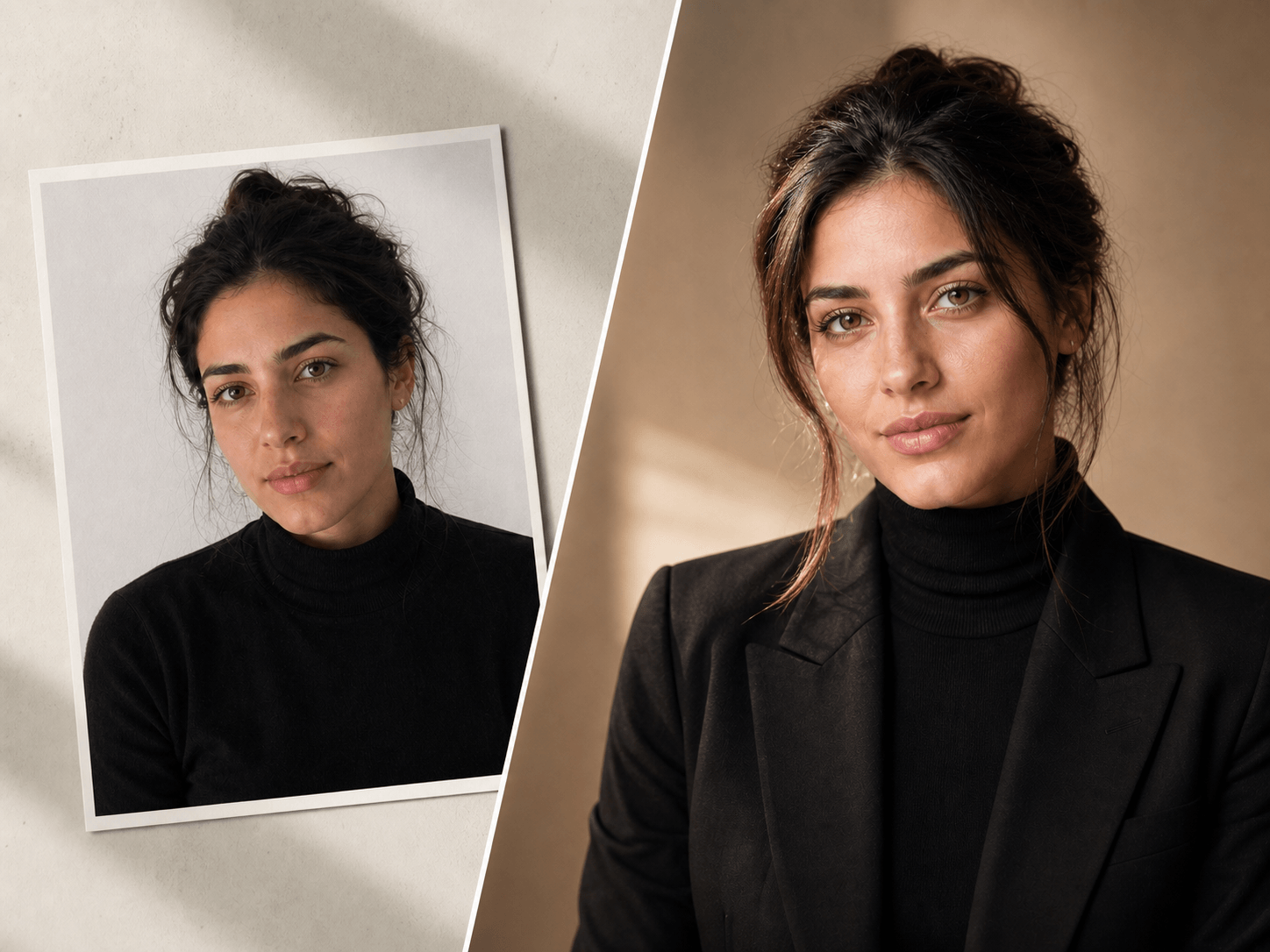
    Before and after portrait generation comparison
    Reference photo to studio portrait

    Image to Image AI Portrait Transformer

    Upload a reference photo and convert image to image outputs that feel like polished studio portraits, with better lighting, sharper facial detail, natural texture, and a production-ready finish.

    Identity-aware detailStudio-quality lighting
    Start from this idea
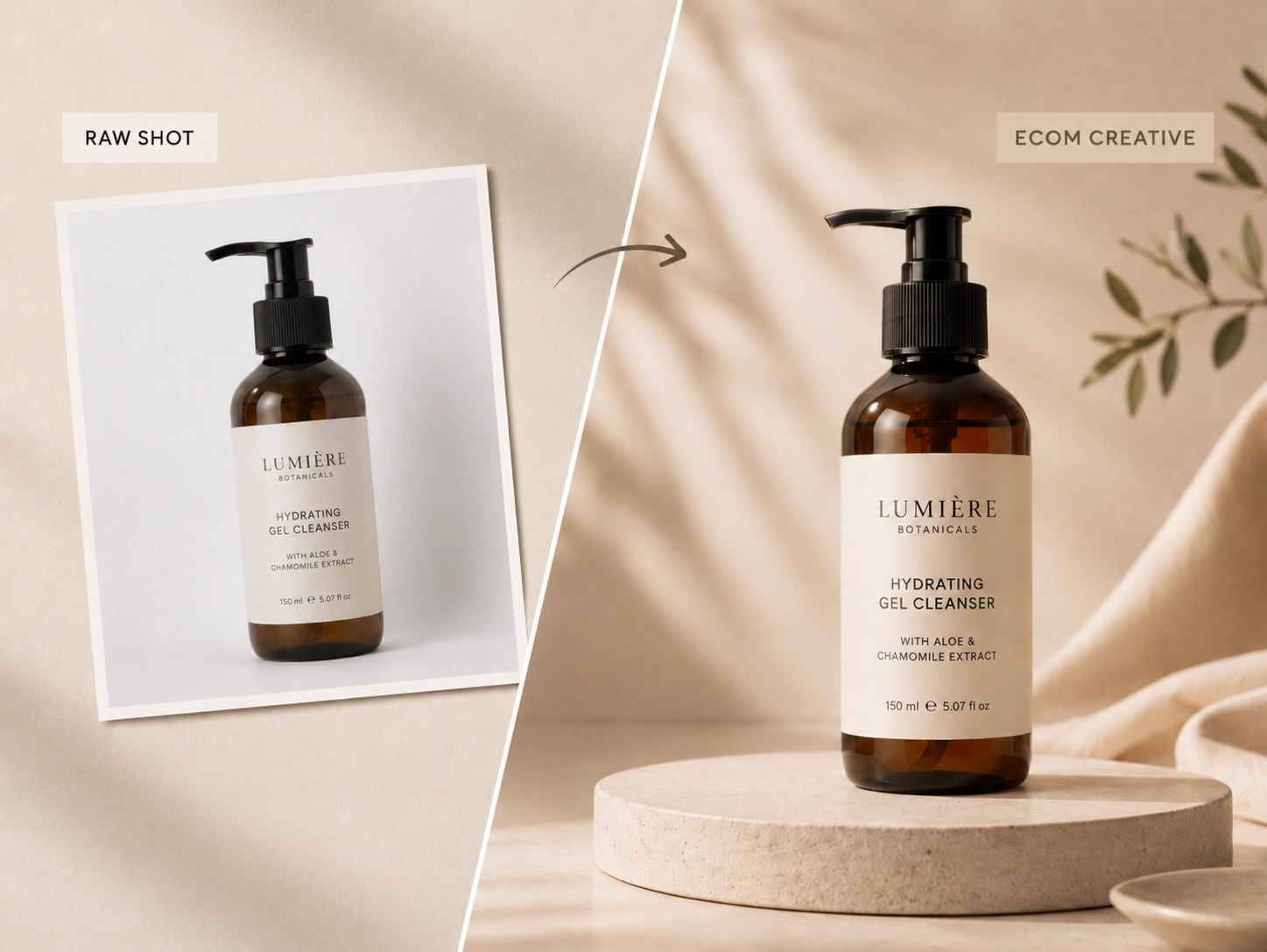
    Product image transformed into commercial ecommerce creative
    Product photo to sales-ready asset

    Image to Image Converter for Product Creative

    Turn basic product photos into polished catalog visuals, lifestyle scenes, and campaign-ready creatives. Use an image to image converter to build more variants for PDPs, ads, and seasonal launches without reshooting every concept.

    Catalog-ready visualsFaster creative testing
    Start from this idea
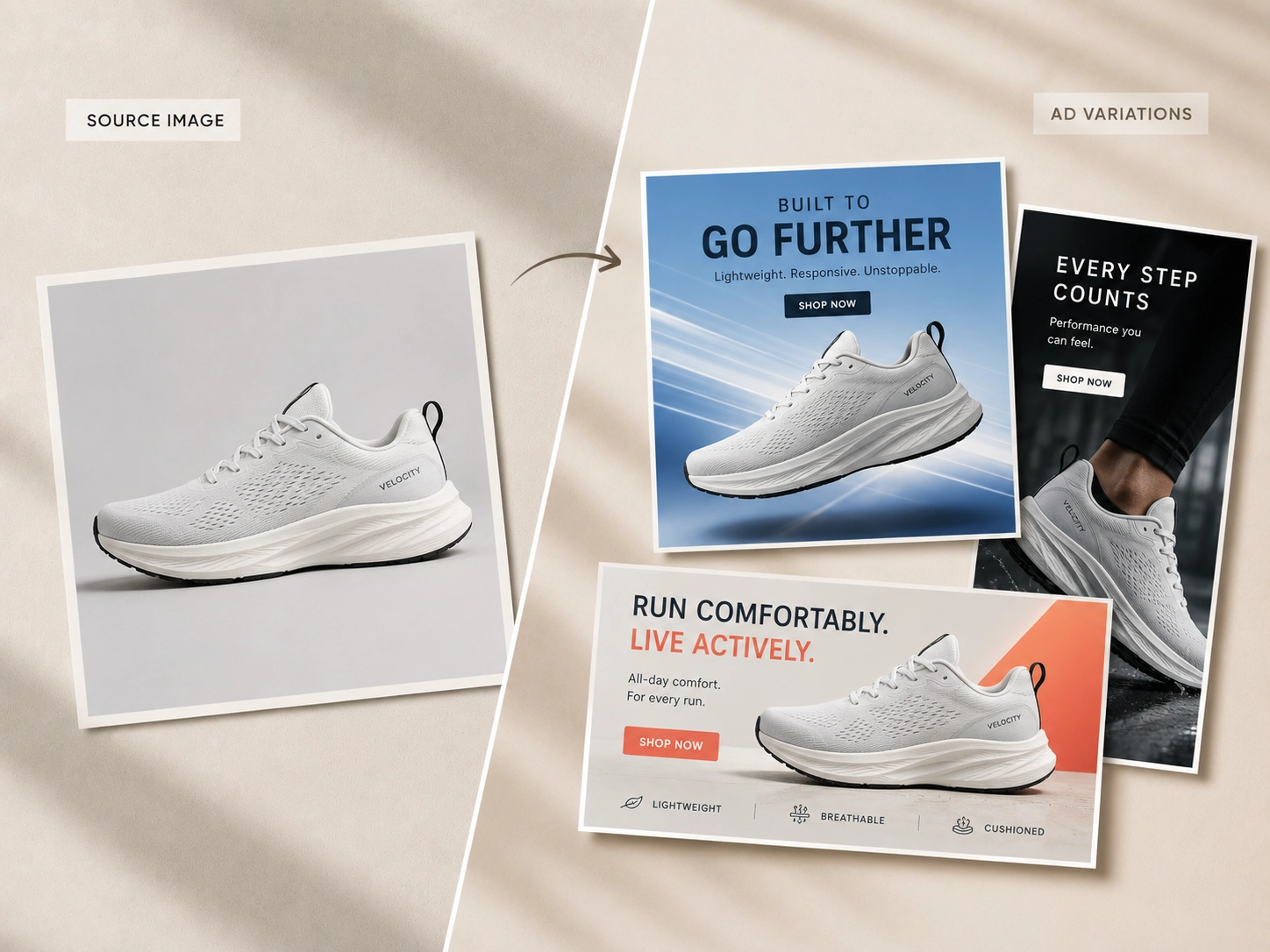
    Multiple ad creative variations generated from one source image
    One source to many ad angles

    Image to Image Editor for Ad Variations

    Generate multiple visual directions from a single input so teams can test backgrounds, moods, formats, and audience-specific messages faster. This image to image editor helps performance teams move from one source image to many ad-ready options.

    More testable variantsCampaign-speed iteration
    Start from this idea
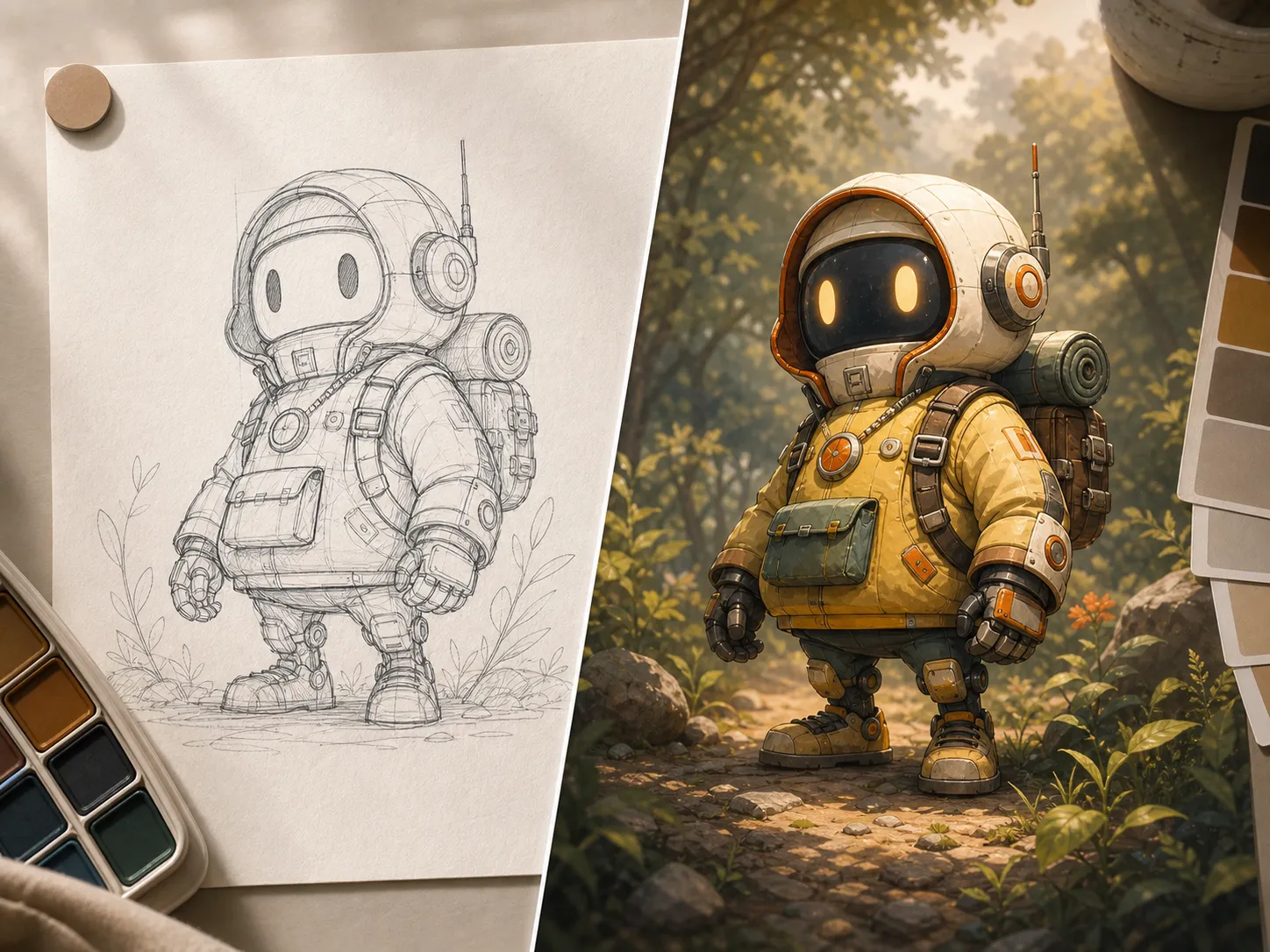
    Before and after sketch coloring comparison
    Line sketch to finished artwork

    Image to Image Style Transfer for Sketches

    Move from rough concept to finished visual faster with image to image style transfer. Convert sketches into colored artwork while keeping the structure, character, and creative direction intact.

    Structure preservedPalette-led finishing
    Start from this idea
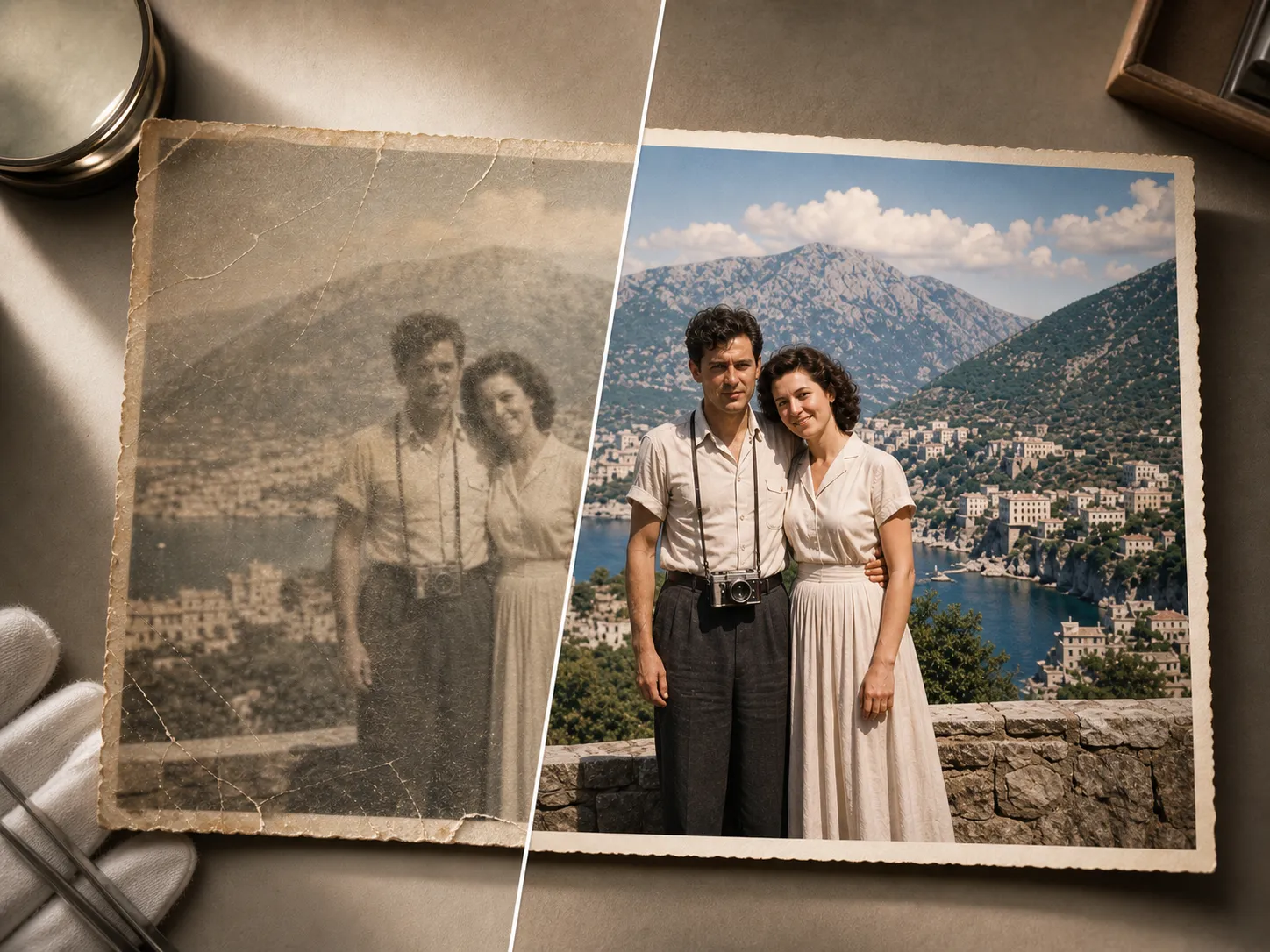
    Before and after high resolution restoration comparison
    Damaged image to clear result

    Image to Image AI Restoration

    Recover blurry, faded, or scratched images into crisp high-resolution assets. The same image to image AI workflow can make old visuals useful again for campaigns, archives, product pages, and personal projects.

    Scratch repairSharper usable detail
    Start from this idea
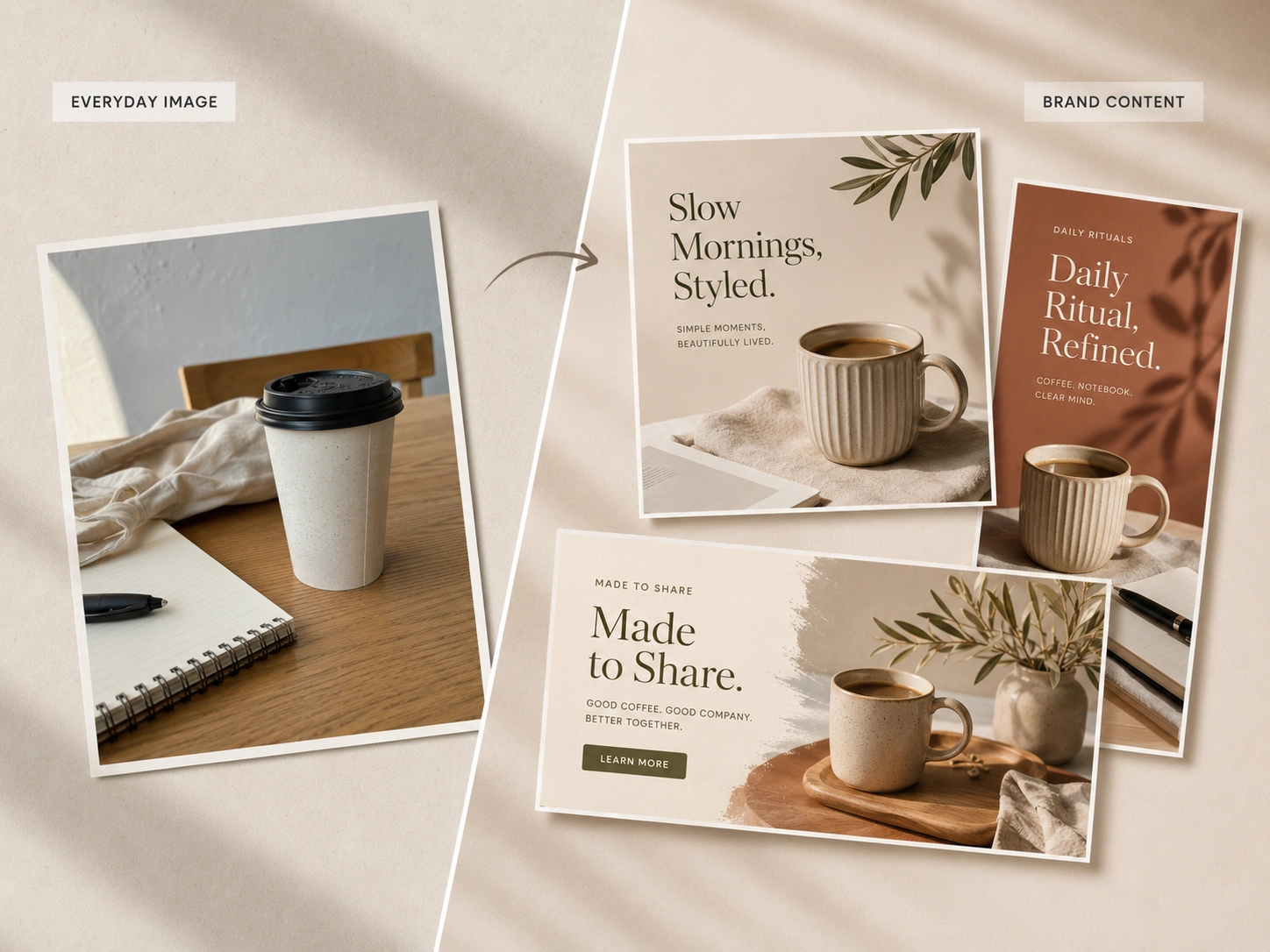
    Brand content refreshed into social media ready visuals
    Everyday image to publishable content

    Image to Image Transformer for Brand Content

    Refresh ordinary images into cohesive branded visuals for social posts, landing pages, newsletters, and creator campaigns. This image to image transformer keeps output consistent while adapting style for each channel.

    Channel-ready contentConsistent brand style
    Start from this idea

    Subscriptions

    Predictable credits, every cycle.

    FAQ

    Image to Image AI FAQ

    Answers to common questions about uploads, generation settings, credits, rights, and support.

    What is Image to Image AI?+

    Image to Image AI transforms an input photo by restyling, reimagining, or enhancing it based on your prompt, reference, and selected settings.

    What image formats are supported by Image to Image AI?+

    JPG, PNG, GIF, and WebP are supported. You can upload up to 4 images.

    What can I create with Image to Image AI?+

    You can restyle photos, generate hyper-realistic portraits from references, convert sketches to colored images, restore resolution, combine objects, and more.

    What aspect ratios does Image to Image AI support?
    +

    Default, 1:1, 16:9, 4:3, and 3:4 are available to fit different creative needs.

    How do I get started with Image to Image AI?+

    Upload a reference image, choose an aspect ratio, enter your prompt, then click Generate to produce results.

    How do I improve results with Image to Image AI?+

    Use clear, high-quality references and detailed prompts covering style, lighting, composition, and textures.

    How does hyper-realistic portrait generation work?+

    Upload reference photos and describe the look. Image to Image AI matches details like hands, lighting, materials, and spatial relationships.

    How can I convert drawings to 3D with Image to Image AI?+

    Upload your architectural drawing and use the dedicated Convert Drawing to Model flow to generate a 3D-like output.

    How do I restore image resolution?+

    Use the High-Resolution Restoration option to enhance clarity and detail on low-res inputs.

    How do object combination and version comparison work?+

    Upload multiple objects to compose a single image and use version comparison to see differences across model updates.

    When should I choose each aspect ratio?+

    Use 1:1 for square feeds, 16:9 for widescreen banners, 4:3 for presentations, and 3:4 for portraits and posters.

    When will my images finish generating?+

    Most Image to Image AI generations complete in seconds, depending on image size, settings, and current load.

    When should I use a reference image?+

    Use references whenever you need consistent identity, pose, lighting, or style carried into the new image.

    What are the upload limits for Image to Image AI?+

    You can upload up to 4 images per task in JPG, PNG, GIF, or WebP. Very large files may be resized for faster processing.

    How do I edit, download, and share results?+

    Use Edit to refine outputs, Download to save locally, and Share to quickly distribute your generated images.

    How does pricing and credits work?+

    New users receive bonus credits at signup. Generations consume credits based on features used and output size.

    How does Image to Image AI handle content and rights?+

    Follow local laws and platform policies, especially for identifiable people or celebrities. Obtain necessary permissions for commercial use.

    When should I contact support?+

    If uploads fail, generations stall, or results do not match prompts, reach out to our customer support team for assistance.